Telemundo 52: Los Ángeles
- 4.1
- Rating
- 500.00K
- Installs
- Free
- Price

 Analysis by App-foxy
I opened Telemundo 52: Los Ángeles expecting a straightforward local-news app, and that is exactly where it makes the most sense: as a quick way to follow Los Angeles-area reporting, receive alerts, and check weather without sorting through a national news feed. It is free, aimed at Teen users, and developed by NBCUniversal Media, LLC. My overall impression is positive, especially for people who already prefer Telemundo’s Spanish-language local coverage, although it is not the best single source for every kind of news.
The app belongs to the News & Magazines category and has built a respectable audience, with more than half a million installs. Its average rating sits at 4.1 from roughly 3,300 ratings, alongside about 790 written reviews. Those numbers suggest a generally useful experience rather than a flawless one, and that matches my time with it: the central purpose is clear, but the value depends heavily on whether Los Angeles local news is what you actually need.
How the current app fits into a Los Angeles news routine
I use a local-news app most when several people in a household need the same quick picture of the day, but not necessarily the same reading routine. This section looks at where Telemundo 52: Los Ángeles can serve as a shared starting point—and why a little care around alerts and personal preferences makes that arrangement work better.
You May Also Like

 Blood Strike: 2.5 Anniversary
Blood Strike’s Loadouts Turn Every Drop Into a Tactical Gamble
A close look at Blood Strike’s custom loadouts: how fast access to signature weapons reshapes its battle royale rhythm, rewards preparation, and narrows the gap between fights.

 Pandora - Music & Podcasts
Pandora’s Music Is Easy to Start, but Harder to Recover
Pandora’s strength is its low-effort path from a seed to a station. Its weak spot is how much confidence it asks you to place in connection, setup, and quiet recovery.

 8 Ball Pool
 Is Built on Rivalries, Rematches, and Routine
A close look at the rivalries, rematches, shared routines, and unanswered safety questions that turn a quick pool match into a persistent mobile community.

 Samsung Music
’s Quiet Strength Is Playing What You Already Own
Its reach comes less from spectacle than from dependable access to a personal library. That simplicity is both the app’s strongest retention engine and its ceiling.

 AccuWeather: Weather Radar
AccuWeather Review: A Quick, Clear Forecast for Everyday Decisions
For everyday plans, the best forecast is the one you can understand quickly. AccuWeather makes rain timing, radar, and local conditions easy to act on, with a few trade-offs.

 Hill Climb Racing
Why Hill Climb Racing Still Turns Crashes Into One More Run
A tiny car, a bumpy hill and one more upgrade: Hill Climb Racing keeps resurfacing because its simple chaos makes every near-miss feel personal.
More From Our News Desk



A focused local starting point
The strongest part of the experience is its local focus. Instead of opening with a broad national stream, the app is built around news relevant to Los Angeles, California. That distinction matters when I want information connected to the place where I live or work: developing incidents, community stories, local conditions, and weather are more immediately useful than a general headline roundup.
I found the app most practical when used in short visits. I could check what was happening, scan the available headlines, and leave without committing to a long reading session. That makes it a good companion for a morning routine or a quick check before heading out. It is less compelling if I am looking for deep background, extensive opinion, or a complete national news digest.
The Spanish-language identity is also important. For Spanish-speaking Los Angeles residents, Telemundo 52: Los Ángeles can feel more natural than an English-first local outlet. It is not merely a location filter; the app’s appeal comes from combining local relevance with the Telemundo 52 presentation. Readers who want news in English may find a different local-news app more comfortable, even if the geographic coverage overlaps.
Notifications are useful only when managed carefully
Local alerts can be the feature that turns this from an occasional reading app into a genuinely useful daily tool. A notification about a developing situation or changing weather can reach me before I think to open the app. That is especially helpful during a busy day when I do not have time to repeatedly check a news site.
At the same time, notifications can become irritating if every update feels equally urgent. My practical advice is to treat alerts as a selective channel rather than leaving every option active indefinitely. Keep the notifications that help with immediate decisions, such as local developments and weather, and be more cautious with anything that simply encourages another visit. The app works better when it informs my routine instead of interrupting it.
A useful workflow is to check the app once for context and then use alerts for genuinely time-sensitive follow-up. That avoids the common mistake of relying on a notification headline as the entire story. A short alert is convenient, but opening the full report gives me a better sense of what is known, what is still developing, and whether the information affects my neighborhood or plans.
Weather has practical value beyond a quick temperature check
Weather is one of the reasons I would keep this app installed even when I am not actively following the news. In Los Angeles, conditions can vary noticeably across the wider area, so a local weather section is more useful to me than a generic forecast attached to a national news application. I can pair a quick weather check with the latest local headlines before commuting, running errands, or planning time outdoors.
Still, I would not treat a news app as a replacement for a dedicated weather service when I need detailed forecasting tools. Someone who wants specialized maps, long-range planning, or advanced weather information will probably be better served elsewhere. Telemundo 52: Los Ángeles is strongest when weather is part of a broader local-information habit, not when weather is the only reason for downloading it.
What the version information tells me
The current version is 8.7.1, and the app has been available since January 11, 2013. That long presence matters because it shows this is an established local-news product rather than a short-lived experiment. I would expect an app with that history to have evolved through multiple rounds of maintenance and interface adjustment, even though a version number alone does not tell me exactly which changes were introduced in each release.
For someone using an older device, the minimum operating-system requirement is OS 9. That is a reasonable compatibility point for many users, but it is still worth checking before installation if the phone or tablet has not been updated in a long time. A news app is only useful when it opens reliably and can deliver current information, so compatibility should be part of the decision rather than an afterthought.
How the evolution affects returning users
Existing users are likely to value continuity more than novelty. A local-news app earns its place by becoming familiar: I know where to look for the latest stories, where weather appears, and how alerts fit into my day. With a current release such as 8.7.1, the main benefit for a returning reader is the chance to stay on a maintained version rather than relying on an outdated installation.
The trade-off is that updates can change small habits. A button may move, a story layout may feel different, or the path to notification controls may no longer be exactly where I remember it. I recommend spending a minute after updating to review the main navigation and notification settings. That small check prevents the common frustration of assuming an alert disappeared when it was simply reorganized.
I also would not judge the app only by how much its interface changes. For a local-news tool, quiet improvements can matter more than a dramatic redesign. Reliable access to current stories, readable presentation, and a sensible relationship between news and alerts are more important to me than visual novelty. The current version should be evaluated by how smoothly it supports those tasks.
Where it beats ordinary alternatives
Compared with a national news app, this one has a clear advantage in local relevance. National services may offer broader coverage, but they often make me work harder to find Los Angeles stories among headlines from everywhere else. Telemundo 52: Los Ángeles starts from a narrower editorial purpose, which is exactly what I want when the question is, “What matters around Los Angeles today?”
Compared with a general web browser, the app is more convenient for repeat visits and notifications. A browser gives me access to many sources, but it does not necessarily provide the same focused starting point. The app reduces the number of steps between opening my phone and seeing local coverage.
Compared with a dedicated weather application, it is less specialized. Compared with a social-media feed, it is more intentional: I am not depending entirely on an algorithmically mixed stream or on someone else’s post to discover a local story. That does not make it perfect, but it gives the app a useful middle position between a single-purpose forecast tool and an overwhelming all-purpose feed.
Everyday scenarios where it earns a place
Imagine I am leaving home for work and have only a minute. I can open the app, scan the local headlines, check the weather, and decide whether I need extra travel time or a change of plans. If an alert arrives later, I can read the related report instead of searching through several websites. That is a realistic use case, and it captures the app’s practical strength better than simply calling it a news reader.
Another useful situation is staying connected to Los Angeles after moving temporarily or spending part of the week away. The local focus helps me maintain awareness without following a large collection of unrelated sources. For family members who prefer Telemundo’s language and style, the app can also be a more approachable way to keep up with local events than an English-heavy alternative.
On the other hand, I would skip it if my main goal is international news, financial reporting, sports depth, or investigative reading across many regions. I would also think twice if I dislike notifications altogether. The app can still function as an on-demand reader, but one of its most useful advantages becomes less relevant when alerts are always disabled.
Small habits that improve the experience
My first tip is to separate “read now” from “act now.” A headline may be interesting without requiring an immediate response, while a weather or local-development alert may deserve attention. Treating every notification as equally urgent makes the app feel noisier than it needs to be.
My second tip is to use it as a local checkpoint, not as the only source for major decisions. If a story could affect travel, safety, work, or family plans, I would read the full article and, when appropriate, compare it with another reliable source. This is not a criticism unique to Telemundo 52: early local reports can change as more information becomes available.
My third tip is to make the app part of a fixed routine. Opening it at breakfast or before leaving home is more efficient than checking repeatedly throughout the day. That approach lets the local focus work in its favor and keeps the notification system from taking over my attention.
Remaining gaps and points of friction
The biggest limitation is scope. A focused Los Angeles app cannot replace a broader news service, and I would not want it to pretend otherwise. Readers who expect one application to cover local, national, and international events with equal depth may feel that the experience is incomplete.
There is also a difference between fast access and deep understanding. The app is convenient for discovering what is happening, but a short local-news visit may not provide all the context I want on a complicated issue. I sometimes need to move beyond the first report, look for additional background, or consult another source before forming an opinion.
Notification management is another area where personal preference strongly affects satisfaction. Some users will see alerts as the app’s main advantage; others will consider them a distraction. I would not install it blindly and leave every setting untouched. A brief adjustment after setup can make the difference between a helpful local companion and an app I eventually silence.
The Teen content rating is also worth considering for households. It does not mean every story is unsuitable for every reader, but local news can naturally include serious or upsetting subjects. Parents who plan to let younger family members use the app should decide whether its news coverage fits their household expectations.
What I would watch in future updates
For future releases, I would pay attention to how well the app balances speed with context. Local news needs to arrive promptly, but readers also benefit from clear presentation when a story develops over time. Improvements that make it easier to follow an ongoing event without creating unnecessary alert fatigue would be especially valuable.
I would also watch the relationship between local coverage and weather. The combination is one of the app’s most practical reasons to exist, so the experience should continue to make switching between the two feel natural. If either area becomes buried behind extra steps, the app would lose some of its everyday usefulness.
Returning users should watch for changes in navigation and notification behavior after updates. I do not see that as a reason to avoid updating; it is simply a reminder to review the app briefly instead of assuming the old layout remains unchanged. Keeping the current version also makes more sense than judging the product through an outdated installation.
My recommendation for Los Angeles readers
I recommend Telemundo 52: Los Ángeles to people who want a focused local-news and weather app, particularly Spanish-speaking users who already connect with Telemundo 52. Its free price removes the main barrier to trying it, and its established history gives it more credibility as a continuing local resource than a newly launched experiment.
I would not recommend using it as the only news source for every subject. A broader news app is better for national and international coverage, while a dedicated weather tool is better for detailed forecasting. But those limitations are also part of its identity: this app is useful because it stays close to Los Angeles rather than trying to cover everything.
After using it, my honest view is that its best role is as a dependable local checkpoint. Open it when you want to know what is happening nearby, use alerts selectively, read beyond the first headline when the subject matters, and keep another source for wider coverage. If that matches your routine, Telemundo 52: Los Ángeles is an easy free app to justify keeping on your phone.
FAQs for Telemundo 52: Los Ángeles
01What is Telemundo 52: Los Ángeles?
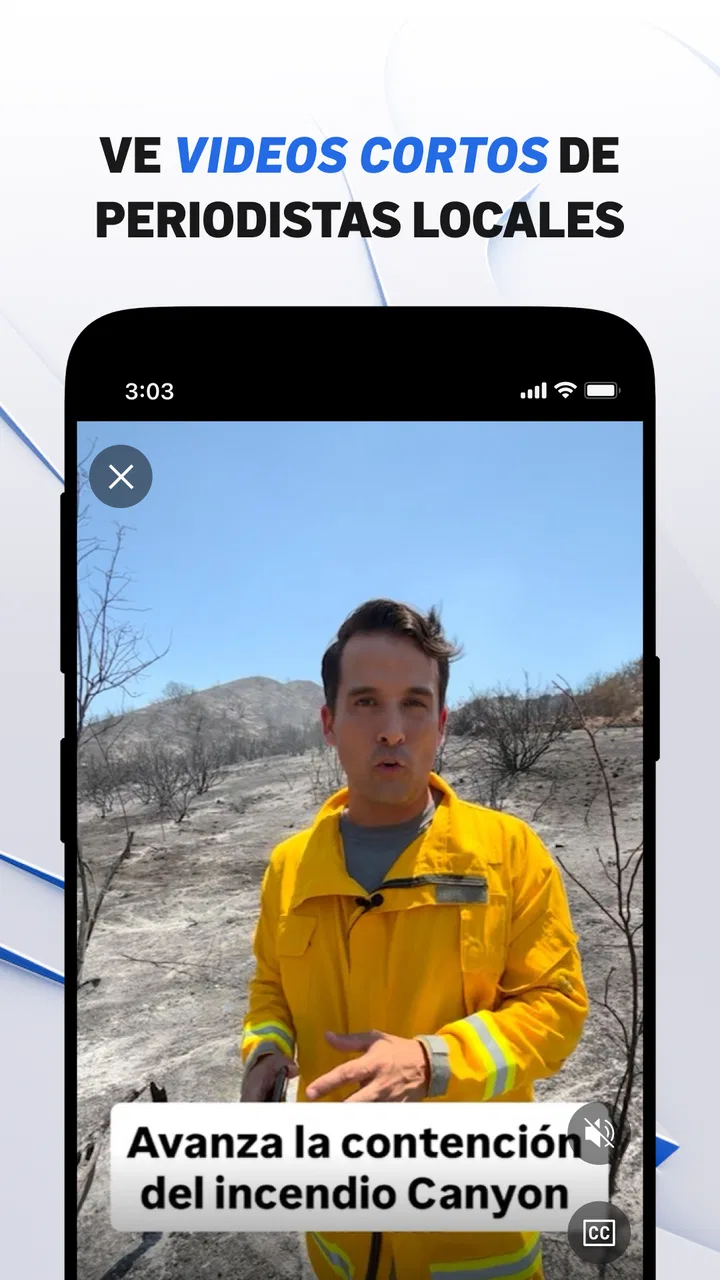
Telemundo 52: Los Ángeles is a dedicated app providing users with up-to-date local news, weather updates, and live broadcasts from Telemundo's Los Angeles station. It offers a Spanish-language experience tailored to the Latino community, featuring breaking news alerts, video clips, and in-depth stories relevant to the area's audience.
02Is the Telemundo 52 app free to download and use?
Yes, the Telemundo 52 app is completely free to download and use. It is available on both Android and iOS platforms, offering users access to news, weather updates, and live streaming without any cost. However, it may contain ads as part of its monetization strategy.
03Can I watch live broadcasts through the Telemundo 52 app?
Absolutely, the app allows users to stream live broadcasts from Telemundo 52. This feature ensures you can stay connected with local news, weather updates, and special reports in real-time, no matter where you are, as long as you have an internet connection.
04Does Telemundo 52 provide personalized news alerts?
Yes, the app includes a feature for personalized news alerts. Users can customize notifications based on their interests, ensuring they receive timely updates on the topics that matter most to them, such as breaking news, weather changes, or specific community events.
05What languages are supported by Telemundo 52: Los Ángeles?
Telemundo 52: Los Ángeles is primarily designed for Spanish-speaking users, offering content primarily in Spanish. This focus caters to the Latino community in Los Angeles, ensuring culturally relevant news and stories. However, some features or content may also be available in English.
Pros
- Live local news coverage.
- Bilingual content available.
- User-friendly interface.
- Customizable notifications.
- High-quality video streaming.
Cons
- Limited national news coverage.
- Frequent in-app ads.
- Requires stable internet.
- Some content is region-locked.
- Occasional notification delays.

Telemundo 52: Los Ángeles
Gallery